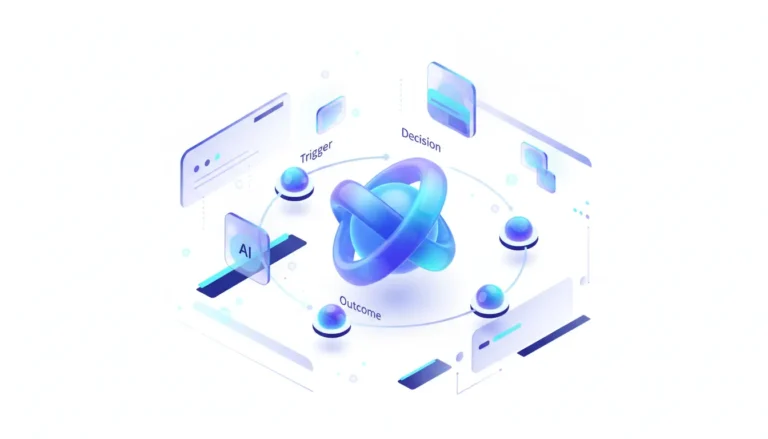
Have you ever wondered when AI would slip out of those chat windows and into the real grit of your daily coding grind? Gemini CLI is doing just that—breaking out of the browser and into the command line, marking a critical shift from conversational AI to scriptable, automated intelligence. But “Gemini CLI” isn’t one tool—it’s a fragmented ecosystem where Google’s official, enterprise-grade offering competes with faster, more flexible community-built alternatives, forcing developers to choose between control and convenience.
Quick Take
- Summary: The ability to interact with Gemini models from the command-line interface (CLI) is rapidly maturing. From what I’ve seen in developer forums, this isn’t a single product launch but the emergence of a new tooling category, split between Google’s official Gemini Code Assist CLI (part of gcloud) and several popular open-source CLIs available on package registries like npm.
- What happened: Google has integrated Gemini into its cloud SDK, allowing developers with Google Cloud projects to run AI tasks like code generation and explanation directly from their terminal. At the same time—and this is where it gets interesting—a vibrant ecosystem of community tools has sprung up, offering a lightweight, API-key-driven way to access the Gemini API for quick scripts and chat.
- Why it matters now: Moving AI to the CLI unlocks powerful automation. It transforms Gemini from a manual assistant into a programmable component that can be integrated into CI/CD pipelines, git hooks, and server-side scripts. This is the next frontier for embedding AI directly into developer workflows—promising major productivity gains, though we’ll have to weigh the upsides against the new headaches.
- Who is most affected: Software developers and DevOps engineers gain a powerful new primitive for automation. But here’s the thing: enterprise security and platform teams face a new challenge—managing the risks of API key proliferation, controlling costs from scripted AI calls, and ensuring compliance in this new, less visible environment.
- The under-reported angle: The real story is the tension between the two CLI models. Google’s official tool is built for enterprise control, with IAM integration, audit logs, and policy enforcement. The community tools are built for developer speed and freedom. This clash is bound to define how enterprises adopt—and govern—AI in their core engineering workflows, for better or worse.
Deep Dive
Ever feel like AI is finally catching up to how you actually work, rather than making you adapt to it? The era of AI being confined to a chat window is officially over. The emergence of the “Gemini CLI” represents a fundamental evolution in how developers interact with large language models, moving them from conversational partners to fully scriptable components at the heart of the software development lifecycle. It’s not about one tool, really, but a strategic fork in the road: one path leading to Google’s walled garden of enterprise control, the other to the open, wild west of community-driven innovation.
On one side stands Google’s official Gemini Code Assist CLI, integrated directly into the gcloud command-line tool. It’s designed for the enterprise developer—no question. Authentication is handled through Google Cloud’s robust IAM, commands are logged for auditing, and usage is tied to project billing and quotas. This approach prioritizes security, governance, and predictability, making it the only viable option for organizations operating in regulated industries where data residency and access control are non-negotiable. It solves the enterprise pain point of needing a sanctioned, manageable way to let developers use AI power, and from my experience reviewing these setups, it does so without much fuss.
On the other side is a burgeoning ecosystem of open-source CLIs, typically installed with a single npm install or pip install command. These tools, found on GitHub and npm, are built for speed and simplicity—pure and simple. They authenticate with a simple API key stored in an environment variable, offering immediate access to the Gemini API for tasks like summarizing text, generating commit messages, or powering custom shell scripts. For individual developers, startups, and hackers, this path offers unparalleled flexibility and near-zero setup friction. It directly addresses the developer pain point of wanting to experiment and automate now, without navigating enterprise procurement or project setup—though, of course, that ease comes with its own set of caveats.
This split unlocks a new wave of “AI-native DevOps.” With a CLI, Gemini can be wired into a CI/CD pipeline to automatically generate documentation for a new feature, run as a pre-commit hook to refactor staged code, or be used in a bash script to analyze terabytes of log files for anomalies. These automation recipes are where the true productivity gains lie—drastically reducing the context-switching developers face when moving between their code editor and a web-based AI tool. However, it also introduces significant new risks: an API key accidentally committed to a public repository or a runaway script racking up thousands of dollars in API calls are no longer theoretical problems. This forces a critical decision—do you embrace the velocity of community tools and build guardrails around them, or do you mandate the more restrictive but safer official tool? The choice a team makes will reveal its priorities in the trade-off between speed and control, and it’ll be fascinating to see how that unfolds over the next year or so.
Stakeholders & Impact
| Stakeholder / Aspect | Impact | Insight |
|---|---|---|
| Developers & DevOps | High | Unlocks powerful automation by making LLM calls a scriptable primitive—think of it as a new building block. Enables new workflows in CI/CD, git hooks, and data processing, but requires learning new commands and security practices along the way. |
| Enterprise IT & Security | Significant | Creates a new vector for risk management. Teams must now govern API key security, monitor for cost overruns from automated scripts, and enforce data handling policies for a tool that runs invisibly on developer machines. |
| Google (AI/Cloud Platform) | High | The official CLI is a strategic moat, driving deeper integration with the Google Cloud ecosystem (IAM, billing, projects). But the popularity of community tools could fragment the developer experience and cede some influence—it’s a delicate balance. |
| Open Source Community | High | A fertile new ground for innovation. Developers are rapidly building specialized, opinionated CLI wrappers for Gemini, exploring different UX patterns, and pushing the boundaries of what’s possible in the terminal—exciting times. |
About the analysis
Researched and written with AI assistance under the editorial responsibility of the i10X News team. The title image is an AI-generated illustration. Read our AI Use Policy. Spotted an error? Request a correction.
This analysis is an independent i10x synthesis based on a review of official Google documentation, popular open-source repositories, and developer-focused publications. It’s written for engineers, engineering managers, and CTOs seeking to understand the strategic implications of integrating AI into core developer workflows—something that’s evolving faster than most realize.
i10x Perspective
Isn’t it intriguing how something as niche as a CLI can mirror bigger battles? The Gemini CLI ecosystem is a microcosm of the entire AI platform war. It highlights the central tension between controlled, vertically integrated platforms (Google’s official tool) and the permissionless, rapid innovation of an open ecosystem (community wrappers).
This isn’t just about developer preference; it’s a signal of market maturation. The winners will not be determined by model performance alone, but by who can provide the most seamless and secure bridge into the automated, scriptable future of software development. Watch to see if Google attempts to absorb the best ideas from the open-source world into its official offering or if it allows the two ecosystems to coexist—either way, it’ll shape things. How this plays out will be a blueprint for how AI giants balance developer freedom with enterprise control for years to come.