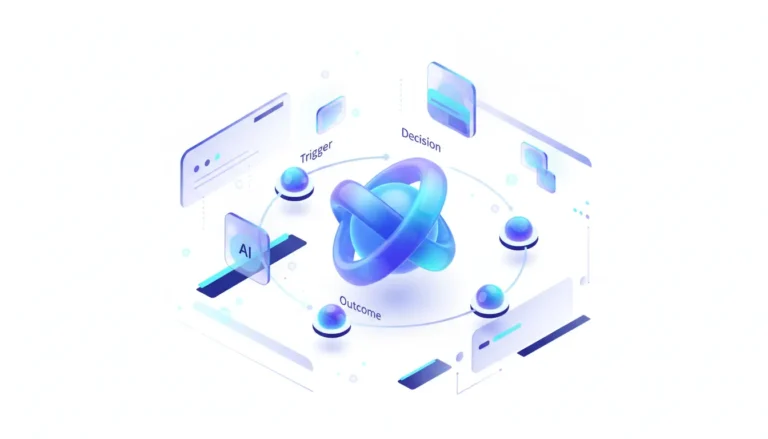
OpenAI’s latest update to its Codex Mac app is more than just a feature drop; it’s a strategic pivot. By granting the AI the ability to directly open files, OpenAI is escalating its ambition from a niche coding assistant to a general-purpose OS agent, placing it on a collision course with desktop incumbents like Apple’s Spotlight and third-party launchers like Raycast and Alfred.
Quick Take
- What happened: OpenAI released an update for its Codex macOS application, introducing three new capabilities. The most significant of these is the ability for the AI to execute file-system actions, starting with opening files and applications directly from a natural language prompt. It’s a straightforward step, yet one that feels like it’s pulling back the curtain on what’s next.
- Why it matters now: Have you ever wished your AI could just… handle things without all the back-and-forth? This move signals the next frontier for AI assistants: deep integration into the operating system. Instead of living in a browser tab or a standalone window, the AI is becoming an active participant in the user’s desktop environment, aiming to become the primary interface for user intent. That said, it’s not without its risks – but more on that later.
- Who is most affected: Developers and macOS power users gain a potentially powerful new workflow tool – something that could streamline their days in ways they’ve only dreamed of. Simultaneously, developers of existing launcher and automation apps like Raycast and Alfred now face a direct challenge from one of AI’s biggest players. Apple is also put on notice, as this functionality directly competes with the core purpose of its native Spotlight search. Plenty of reasons for everyone involved to pay close attention, really.
- The under-reported angle: While the productivity gains are clear, the update opens a Pandora’s box of security and privacy questions that remain unaddressed. Granting an AI, which relies on cloud-based models, access to a local file system requires a robust permissions model and clarity on what data is processed locally versus what is sent to the cloud. This is the crucial missing piece of the story – one that could make or break trust as these tools evolve.
Deep Dive
Ever feel like your desktop tools are a step behind what you really need? OpenAI’s move to embed file system capabilities into its Codex Mac app marks a fundamental shift in its strategy – one I’ve noticed reshaping how we think about AI’s role in daily work. Previously positioned as an “agentic coding” assistant, Codex is now being groomed to become a universal command line for the entire operating system. The ability to process a prompt like “open the quarterly report spreadsheet” and execute it transforms the tool from a passive code generator into an active workflow automator, blurring the lines between AI assistant, file search, and app launcher.
This expansion places Codex in direct competition with the established ecosystem of macOS productivity tools. For years, power users have relied on Alfred and Raycast to create complex workflows, search files, and launch apps with keyboard-centric efficiency – tools that feel like old friends after a while. These tools have been racing to integrate AI, but OpenAI is now coming at the problem from the other direction: building an AI-native tool that learns to operate the OS. This fundamentally alters the competitive landscape, pressuring incumbents to prove their value beyond simply being a front-end for GPT APIs. It’s a classic case of the newcomer shaking things up.
The most critical and least-discussed aspect of this evolution is the security paradigm. Allowing an AI to interact with local files introduces significant trust and privacy hurdles – hurdles that, from what I’ve seen in similar tech rollouts, often trip up adoption. The key questions are about the underlying architecture: Are file indexes and context processed entirely on-device, leveraging a local RAG (Retrieval-Augmented Generation) model? Or is file content being exposed to OpenAI’s cloud infrastructure? Without clear documentation on the permissions model, data handling policies, and audit logs, enterprise adoption will be a non-starter, and even security-conscious individual users will hesitate. We tread carefully here, weighing the upsides against those unseen costs.
Ultimately, this is a land grab for the most valuable real estate in computing: the user’s intent. The interface that can most accurately and efficiently translate what a user wants (“summarize my recent project docs and draft an email”) into action will win. This update is OpenAI’s declaration that it intends to own that “intent layer,” moving beyond the chat box to become a core, agentic component of the personal computing experience. Apple’s own inevitable OS-level AI integrations for macOS now have an aggressive, fast-moving benchmark to compete against – leaving us to wonder how the rest of the field will respond.
Stakeholders & Impact
| Stakeholder / Aspect | Impact | Insight |
|---|---|---|
| OpenAI | High | Establishes a critical beachhead for OS-level AI agency, moving beyond chat and API calls to become an integrated part of a user’s workflow and a direct competitor to OS-native functions – a bold step that’s hard to ignore. |
| Desktop Productivity Tools (Raycast, Alfred) | High | Faces an existential threat from a deeply-funded, AI-native competitor. The race is now on to deliver unique value that a generic OS agent cannot replicate, such as deep plugin ecosystems and robust privacy guarantees; it’s do-or-die time for these staples. |
| Users (Developers & Power Users) | Medium–High | A potential paradigm shift in productivity, reducing context-switching between coding, file management, and communication. However, this comes with new, poorly understood security and privacy trade-offs – exciting, yet a bit unsettling if you think about it. |
| OS Vendors (Apple) | Significant | This is a shot across the bow for Apple’s Spotlight and Siri ambitions. OpenAI is setting the pace for what a desktop AI assistant should be, forcing Apple to either match or exceed this functionality with its own system-wide AI; the pressure’s on. |
About the analysis
Researched and written with AI assistance under the editorial responsibility of the i10X News team. The title image is an AI-generated illustration. Read our AI Use Policy. Spotted an error? Request a correction.
This i10x analysis is based on a review of the feature announcement and an assessment of its strategic implications, drawing on known gaps in the market coverage. The insights are framed for developers, CTOs, and product leaders trying to understand how AI is shifting from a destination service to an integrated OS layer – in other words, helping you stay ahead of the curve as these changes unfold.
i10x Perspective
What if your AI could anticipate your next move before you even type it? OpenAI is transforming its AI from a conversational partner into a digital collaborator that can take action within your environment – and honestly, it’s a direction I’ve been watching with interest. This isn’t just about opening files; it’s about building the muscle memory for a future where OS-level agents perform complex, multi-step tasks on a user’s behalf.
The battle for the future of the desktop is no longer about apps; it’s about which “intent engine” becomes the user’s primary interface. But here’s the thing – the unresolved tension is whether the immense power of a fully agentic AI can coexist with the principles of privacy and user control, or if we are trading security for a new level of convenience. How OpenAI, Apple, and the open-source community navigate this trade-off will define the next decade of personal computing; it’s a question that lingers, doesn’t it?