Claude Chrome Extension: Browser Agents, Security, and Enterprise Risks
⚡ Quick Take
Have you ever wondered if your AI assistant could just take the wheel on the web? Anthropic’s new Claude Chrome extension does exactly that, turning the large language model from a chatty sidekick into a hands-on tool for browsing and automating tasks. It’s a game-changer for personal efficiency, sure—but that same knack for diving into any webpage raises some thorny issues around enterprise security, governance, and keeping data in line with regulations. These aren’t side notes; they’re front and center in the fight for AI supremacy.
Summary:
Anthropic just dropped a Chrome extension that slots the Claude AI right into your browser’s side panel. It scans webpage content, boils down documents, handles form-filling, and tackles multi-step jobs by hopping between sites and clicking around—much like a smart agent running the show in your browser.
What happened:
This isn’t your standard chatbot setup. The extension asks for wide-open access to “read and change all your data on all websites.” That lets it mess with the Document Object Model (DOM) on any page, so it can act for you, going way past just summarizing what’s on screen.
Why it matters now:
The timing feels spot-on, ramping up the browser wars for AI control. Claude’s now rubbing shoulders with Google’s built-in Gemini features, OpenAI’s ChatGPT web tools, and even niche players like Arc Browser’s “Browse for Me.” The browser’s turning into the go-to hub for AI agents that actually get stuff done in the real world.
Who is most affected:
Folks in knowledge work or research stand to save a ton of time on grunt-work like data hunts and site-hopping. On the flip side, IT and security crews in companies are staring down a fresh breed of software with deep roots into sensitive info flashing across browsers—needing fresh risk checks and policy tweaks right away.
The under-reported angle:
From what I’ve seen in early buzz, everyone’s gushing over solo productivity boosts, but the bigger enterprise picture gets short shrift. There’s a real gap in oversight—no admin dashboards, no site whitelists or blacklists, and scant compliance details (think SOC 2 or GDPR) for that level of access. It all spells trouble for outfits in regulated spaces or those paranoid about security, slowing down any widespread rollout.
🧠 Deep Dive
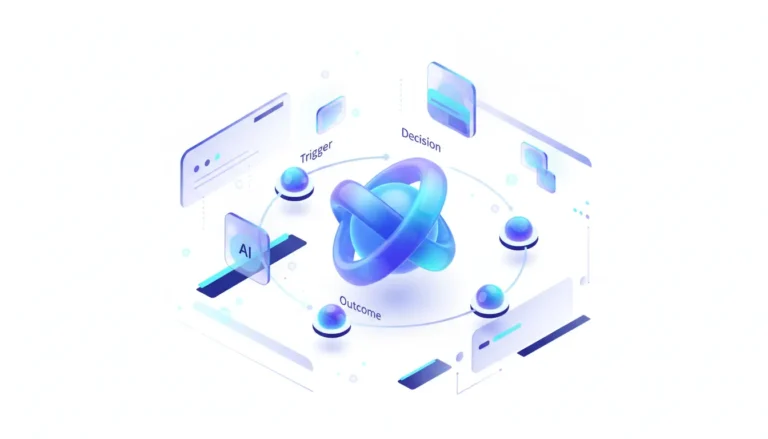
Ever catch yourself wishing your AI could handle the web’s chaos without you lifting a finger? Anthropic’s Claude Chrome extension steps up to that plate, shifting from a backseat advisor to a frontline operator. Baked right into the browser’s framework, Claude doesn’t just observe the web anymore—it gets to work on it. That’s thanks to its grip on the DOM, the webpage’s hidden skeleton, letting it parse not only words but buttons, layouts, and input fields too. Picture this: you tell it, “Hit these five sites, pull the main financial stats from each one, and whip them into a tidy list.” Boom—repeatable tasks, agent-style, without the hassle.
The upside for getting things done? It’s hard to overstate. User stories and quick demos I’ve come across show researchers streamlining lit reviews, recruiters sifting profiles across platforms, and analysts scraping market intel—no more endless copy-paste drudgery. With its “tab awareness,” it keeps the thread alive as you jump sites, making the whole browser feel like one seamless desk. That hits right at the heart of those scattered, hands-on web chores, flipping long slogs into quick, voice-guided wins.
But here’s the thing—this kind of muscle doesn’t come free. Security and privacy? They’re the elephant in the room, mostly glossed over so far. Demanding full rein over all site data is a bold ask, no doubt. Sure, the docs offer some broad reassurances, yet they fall short on breaking down each permission’s risks in plain terms. In a company setting, greenlighting a third-party app to poke at internal tools, CRM customer details, or private files? That’s a weighty call, fraught with pitfalls. The voices urging caution from privacy hawks are getting drowned out by the automation excitement, which feels shortsighted.
And that brings us to the enterprise blind spot that’s keeping me up at night. For Claude to scale from lone wolves to team staples, it needs a solid oversight layer—stat. Leaders like CIOs and CISOs crave options to lock it down: block access to key internal zones (via allowlists or denylists), track what it’s up to, and lock in compliance with heavy hitters like GDPR or SOC 2. Right now, none of that’s on offer, leaving users to shoulder the whole risk load themselves.
In the end, this browser agent from Claude marks a turning point in AI’s evolution. It’s not just an add-on; it’s birthing a whole new lane in software, pitting Anthropic head-to-head with Google’s Gemini woven into Chrome and OpenAI’s growing agent tricks. The real champ? It won’t be the brainiest model alone, but the one that delivers that smarts wrapped in trust, dependability—and above all, governance fit for big business.
📊 Stakeholders & Impact
| Stakeholder / Aspect | Impact | Insight |
|---|---|---|
| AI / LLM Providers (Anthropic, OpenAI, Google) | High | The browser’s emerging as the key arena for rolling out AI agents. The edge goes to those who pair top-tier automation with solid trust-building and enterprise safeguards. |
| Enterprises & IT/Security Teams | High | This introduces a whole new risk tier. Teams have to scramble for guidelines on “browser agents” that can tap into and tweak sensitive company data right in view. |
| Knowledge Workers & Researchers | Medium–High | Huge efficiency jumps on the table, though it’ll mean getting savvy about permissions and the privacy trade-offs involved. |
| Browser Vendors (Google, Mozilla) | Significant | AI agents are pushing old extension security setups to the limit. Expect fresh APIs and permission systems designed just for AI handling. |
✍️ About the analysis
Researched and written with AI assistance under the editorial responsibility of the i10X News team. The title image is an AI-generated illustration. Read our AI Use Policy. Spotted an error? Request a correction.
This comes from an independent i10x breakdown, drawing on Anthropic’s own docs, hands-on user feedback from experts, and a side-by-side look at the budding world of AI browser agents. It’s geared toward developers, product heads, and IT/security folks weighing the tools—and pitfalls—that’ll define AI-boosted workflows down the line.
🔭 i10x Perspective
What if this Claude Chrome extension isn’t merely an upgrade, but a bold statement? I’ve noticed the AI world pivoting from tools that merely whisper ideas to ones that roll up their sleeves and execute. It’s clear: the battle ahead isn’t solely about sharper smarts, but crafting a reliable, oversight-ready squad of AI agents thriving in our online spaces.
That said, the big question lingers—whether browser-level automation’s raw strength can square off against enterprise security’s ironclad rules. The design that pulls it off? It’ll be the one showing it can handle those tensions at volume. Come to think of it, AI’s enterprise future might hinge more on the most secure agent than the cleverest brain.