Visual guide · August 2026
The best AI product photography tools in 2026 are not a single winner. They are phone-listing editors, art-directed scene builders, and licensed-data enterprise stacks sitting on the same keyword. This page is a visual investigation: the live i10X category, a three-lane job map, and homepage captures from 2026-08-28. Browse the directory on i10X AI product photography or start in one i10X workspace. Same series: AI meeting assistants, virtual staging.
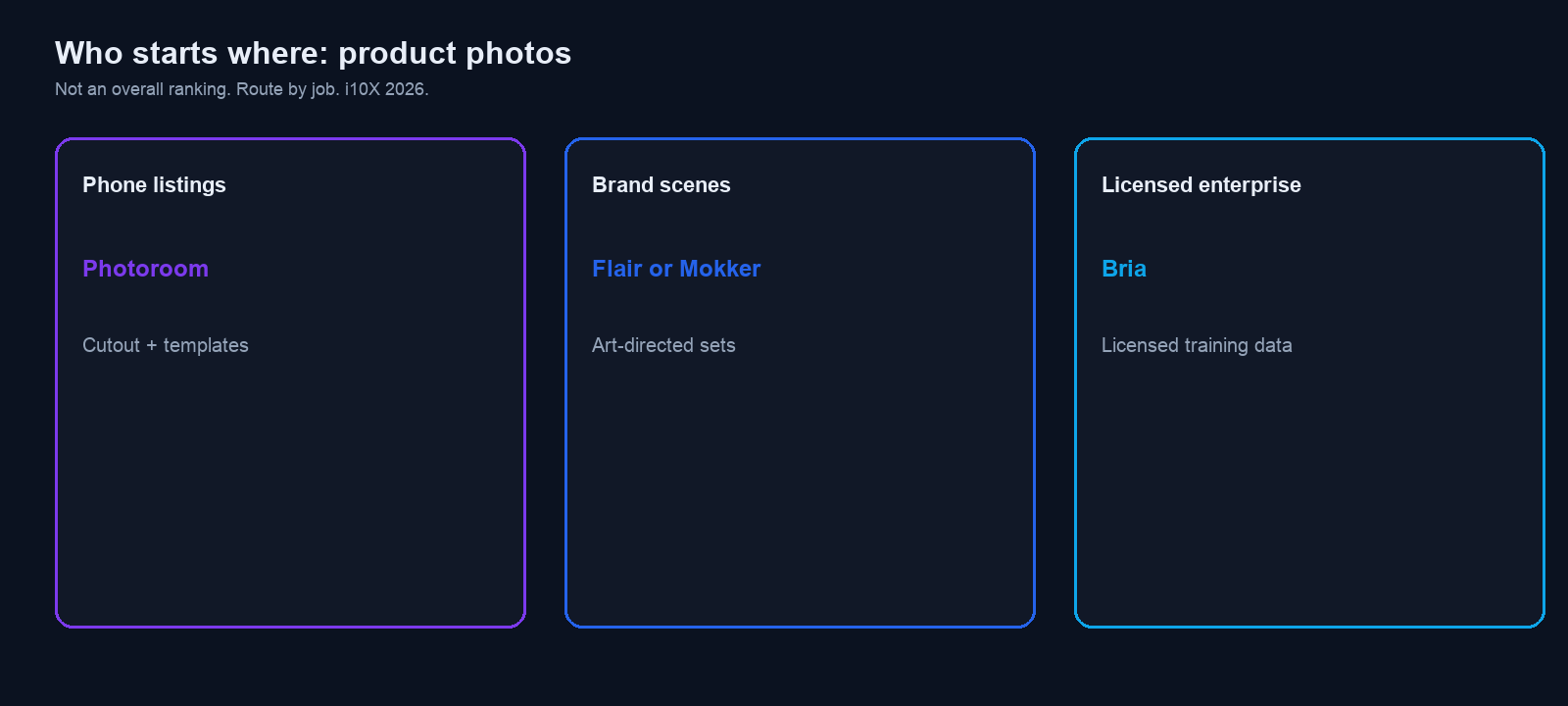
Start for phone listings: Photoroom when the job is cutout, templates, and a marketplace export from a phone or browser.
Start for brand scenes: Flair or Mokker when you need art-directed sets, not only a white background. Pixelcut and Pebblely if the flow is upload, theme, generate.
Start for licensed enterprise: Bria when procurement cares that training data is licensed. Newarc on i10X if the input is a sketch or product photo that must become a photoreal still.
Screens captured 2026-08-28. Plans move. Marketplace rules: do not invent product features. Verify live before you budget.
8 tools |
Four from the i10X directory, four from 2026 ecommerce SERP peers |
4 visuals |
Category, routing map, Photoroom homepage, Flair homepage |
Fidelity vs lifestyle |
First-class filter. A marble kitchen is not a SKU photo. |
7 days |
Pilot: one SKU, white plus lifestyle, one listing that would pass policy |
Who starts where
Do not pick a trophy. Pick a constraint. The map is the article in one screen.
You are… |
Start with |
Why |
|---|---|---|
Marketplace seller on a phone |
Photoroom, then Pixelcut |
Cutouts, templates, listing-sized exports. |
Brand / DTC that wants a set, not a void |
Flair or Mokker |
Art-directed scenes. Pebblely if you only need themed backgrounds. |
Catalog / API volume |
Claid |
2026 ecommerce SERP peer for chained edits and generation at catalog scale. |
Legal wants licensed training data |
Bria |
i10X listing: models trained on licensed data. Confirm the contract, not the blog. |
Sketch or packshot to photoreal |
Newarc (i10X listing) |
Sketch-to-image, try-on, materials. Still compare the export to the physical SKU. |
Two jobs (look at this before logos)
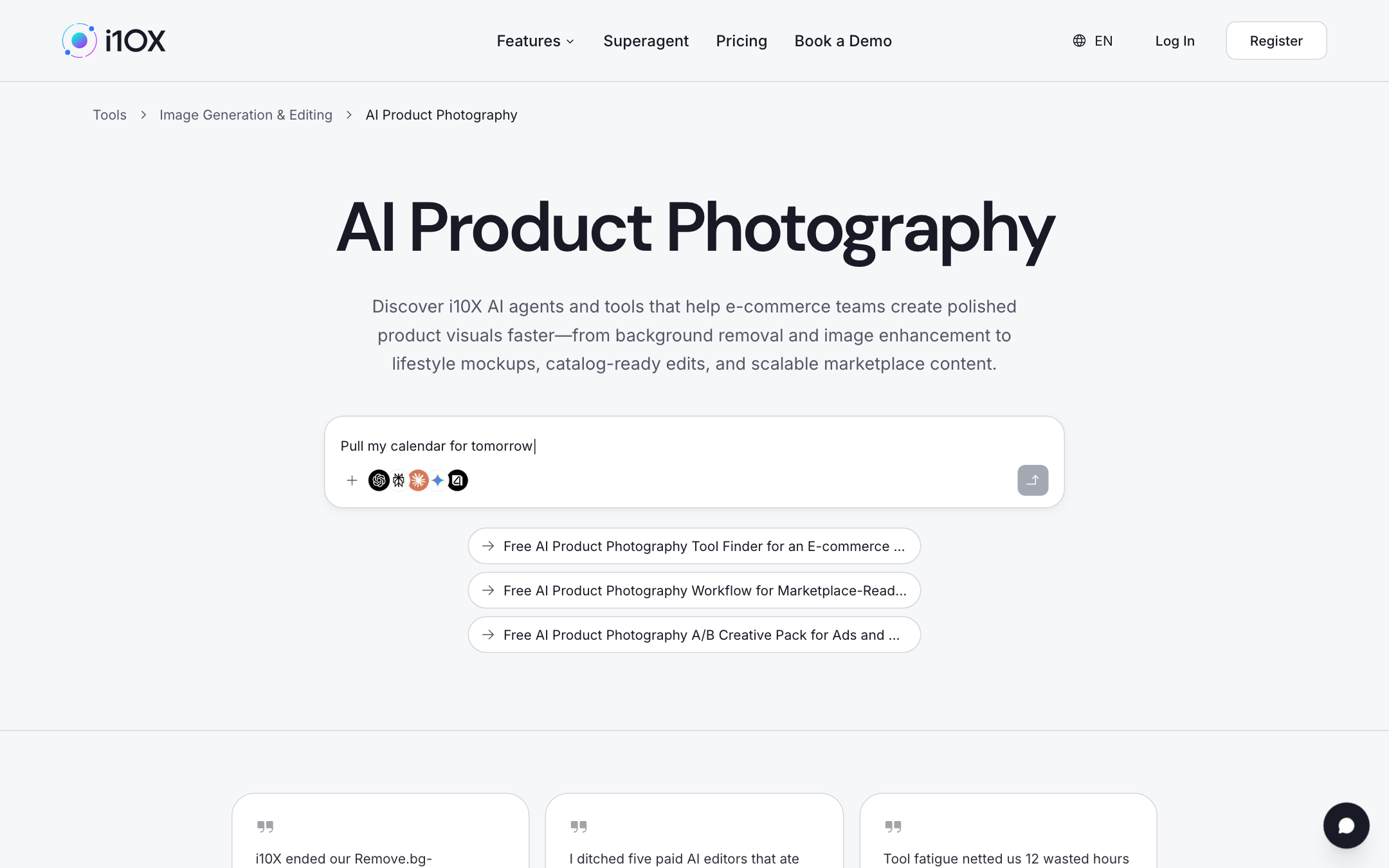
Searchers mix two products and get burned: product fidelity (the bottle still has the right label, count, and color) and lifestyle scenes (the bottle on a picnic table). Marketplace listing images usually need fidelity first. Ads can use lifestyle if the product is still the product. i10X Figure 1 chips cover finder, marketplace workflow, and A/B packs. None of those chips license you to add a feature the SKU does not have.
A cutout that keeps the stitch count is a listing tool. A marble kitchen that quietly adds a second bottle is an ad tool that failed policy. Run both jobs on the same SKU. When in doubt, ship the honest void.
If the copy around the image is the bottleneck, see best AI model for writing. If empty rooms are the job, that is virtual staging, not this list.
Marketplace rules (not legal advice)
Amazon, Etsy, Shopify apps, and ads policies all punish misleading images. AI does not create a waiver. Do not invent extra accessories, a different material, a false colorway, a fake scale, or a function the product lacks. Do not show a person using a medical or safety product in a way the label forbids. Keep a packshot of the real item. Compare every export to that packshot before you publish. This is not legal advice. Read the current marketplace policy for your category.
How we ranked
- Job lane: phone listings, brand scenes, or licensed enterprise. Read from the live homepage or a dated 2026 ecommerce roundup.
- Fidelity: does the tool start from your photo, or from a prompt that can hallucinate the SKU?
- Lifestyle control: templates, canvas, or a theme picker.
- Free-tier honesty: CTA on the page we opened. No invented per-image prices.
- Scale: batch, API, or one-at-a-time mobile.
- Directory plus SERP: Mokker, Flair, Bria, Newarc from i10X. Photoroom, Pebblely, Claid, Pixelcut from 2026 ecommerce SERP. We do not invent features either side did not publish.
We did not run a private conversion bake-off on your catalog. The week-one test is side-by-side with the physical product under the same light.
The 8, with the pages we opened
Photoroom and Flair are homepage captures from 2026-08-28. i10X listings for Mokker, Flair, Bria, and Newarc were checked the same day. SERP peers are named as 2026 ecommerce roundup staples, not as i10X awards. Vendor logos appear because they are on the live sites. They are not i10X endorsements.
1) Photoroom: best phone-listing start
Best for |
Job (this capture) |
Free (homepage) |
Paid |
|---|---|---|---|
Sellers who shoot on a phone and need cutouts plus templates |
Phone listings. Map: cutout + templates. |
Start creating |
Verify live on Photoroom pricing. We did not screenshot a price table in this pull. |
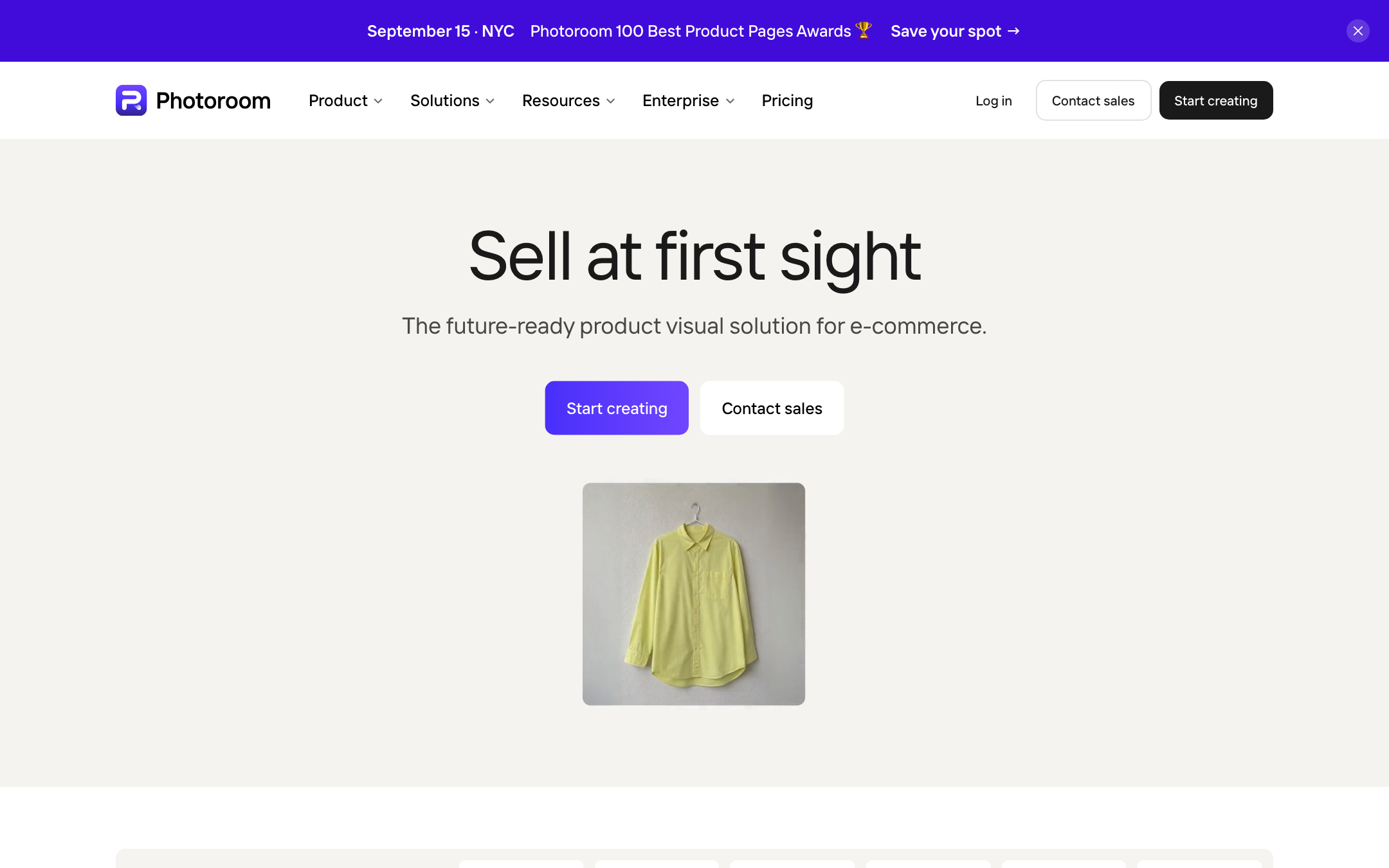
2026 ecommerce roundups put Photoroom in the marketplace / mobile lane: background removal, batch, templates, Shopify-shaped exports. That matches Figure 2. Official site: photoroom.com.
Skip if: you need a signed licensed-data contract, or the product is jewelry at hero-campaign fidelity Photoroom will not own.
2) Flair: best art-directed product set
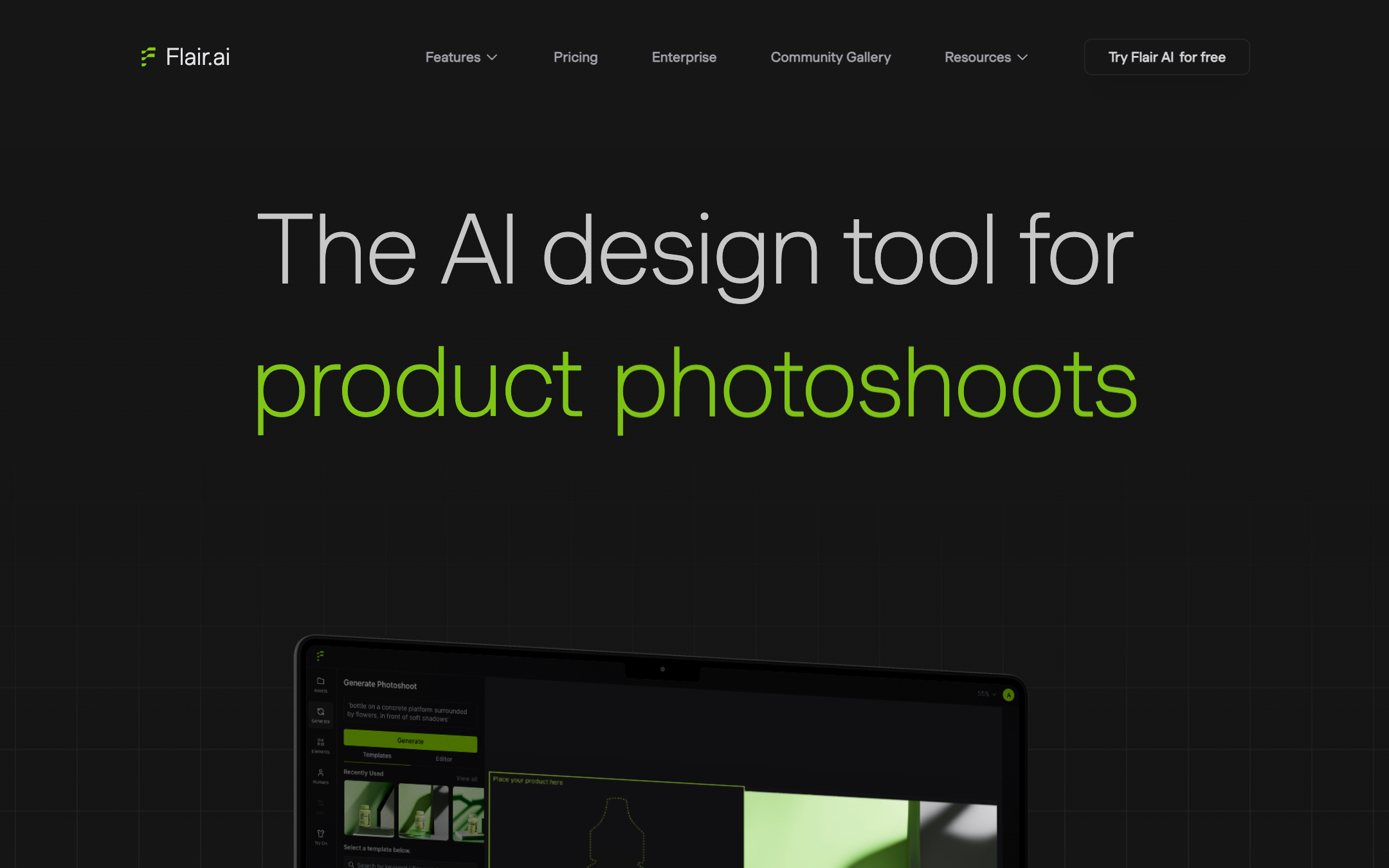
i10X listing: Flair.ai (on-brand product photos, on-model imagery, videos and ads, drag-and-drop, custom models). Figure 2 pairs it with Mokker for brand scenes. flair.ai. Paid seats: verify live. Do not paste a third-party “from $X” into a 2026 budget without opening Flair’s own table.
Skip if: you only need a white background for 200 SKUs and you will not art-direct a set.
3) Mokker: best template-led scene from one packshot
i10X listing: Mokker (one image to studio-style photos, background removal, 100+ templates, moodboards, product replace). Same brand-scene lane as Flair, more template than 3D canvas. mokker.ai. The listing’s user and image counts are vendor language. We do not treat them as a census.
Template tools fail on reflective metal, clear bottles, and small type. Pick those three for week one. If product replace leaves a ghost of the old item, you cannot ship it.
Skip if: the SKU is apparel that must stay on a real body, and templates keep melting logos.
4) Bria: best licensed-data enterprise claim to verify
i10X listing: Bria (enterprise visual generation; listing: models trained on licensed data; Fibo family; product shots and variants). Figure 2 is explicit: licensed training data. That is the reason this tool is on an ecommerce list at all. Confirm the license, the output indemnity, and whether your SKUs can be used as references. Official site: bria.ai.
A listing that says licensed is a starting document, not a signed indemnity. Ask for the current terms before ads legal does.
Skip if: you are a solo Etsy seller who needs a free cutout this afternoon.
5) Newarc: best i10X pick for sketch and material control
i10X listing: Newarc AI (sketch-to-image, virtual try-on, image-to-video, pattern and material editors). Use it when the source is a drawing or a product photo that must become a still, not when you only need to knock out a background. newarc.ai. Still compare the result to the physical goods. Sketch-to-photo is where invented features creep in.
Designers use this lane for a silhouette that does not exist as a photo yet. Marketplace sellers should not. A sketch that grows a pocket the garment lacks is a policy problem the moment it becomes a listing.
Skip if: you already have a clean packshot and you only need a white void.
6) Pebblely: best short path to a themed lifestyle background
Pebblely is a 2026 ecommerce SERP staple: upload a packshot, pick a theme or describe a scene, get lifestyle backgrounds. It is not Photoroom’s full listing editor and not Flair’s canvas. Official site: pebblely.com. Confirm monthly image caps on the live plan. Lifestyle is the lane. Fidelity is still your job.
Themes are a speed hack for mugs and boxes. They are a trap for apparel and readable labels. Zoom to 100 percent on the logo before you ship.
Skip if: you need batch API pipelines or on-model fashion at catalog scale.
7) Claid: best catalog and API peer on the 2026 SERP
Claid’s own August 2026 roundup (and other ecommerce posts the same month) place it as an all-in-one for cleanup plus generation, with API chaining. That is the volume lane: backgrounds, shadows, enhance, then scene or on-model if you buy that module. Official site: claid.ai. We did not copy Claid’s self-reported prices into this table. Open their pricing page.
Catalog tools earn their seat when the 200th SKU still matches the first. Ask for a batch of 20 before you wire the PIM. API pricing is a different table from the web app. Read both.
Skip if: you will never call an API and you only edit on a phone.
8) Pixelcut: best simple mobile sibling to Photoroom
Pixelcut is the other 2026 SERP regular for mobile sellers: background tools, quick lifestyle, on-model variations in some roundups. Use it as a Photoroom alternative in the phone-listing lane, not as an enterprise licensed-data stack. Official site: pixelcut.ai. Pilot both on the same five SKUs. Keep the one whose edges and logos survive.
Mobile editors win because the photo is already on the phone. They lose when hair, mesh, or glass needs a real mask. Put those materials in the pilot set.
Skip if: legal already chose Bria, or your DAM only talks to a Claid-class API.
The 8 at a glance
Tool |
Best for |
Lane (this map) |
Start (this capture) |
|---|---|---|---|
Photoroom |
Phone listings, cutouts, templates |
Phone listings |
Start creating (homepage 2026-08-28) |
Flair |
Art-directed photoshoots |
Brand scenes |
Try Flair AI for free (homepage 2026-08-28) |
Mokker |
Templates from one packshot |
Brand scenes |
Verify live |
Bria |
Licensed-data generation |
Licensed enterprise |
Verify live / sales |
Newarc |
Sketch and materials to stills |
Brand / design |
i10X listing; verify live |
Pebblely |
Themed lifestyle backgrounds |
Brand scenes (simple) |
Verify live |
Claid |
Catalog + API |
Volume fidelity |
Verify live |
Pixelcut |
Simple mobile listings |
Phone listings |
Verify live |
What we left out
- Generic image models: they will invent seams, logos, and extra buttons. Not a product photographer.
- Remove.bg only: a cutout step, not a photography stack.
- Photoshop + Firefly: maximum control if you already live there. Different budget and skill.
- Human studios: still the right answer for jewelry, food steam, and anything a marketplace will audit by hand.
One-week pilot
- Pick two tools from different lanes in Figure 2 (one listing editor, one scene builder).
- Run the same five SKUs: one matte, one shiny, one with a label, one with a cutout-hard edge, one with a known color.
- Export a white listing image and one lifestyle image each. Do not invent props the box does not include.
- Score 1-5: label readability, color, edge, shadow, whether a buyer would feel misled.
- Open the marketplace style guide. If the lifestyle shot would fail it, it failed.
- Kill the loser. Keep the packshot of the real product in the DAM forever.
Seat math: AI subscription stack cost.
Frequently asked questions
What is the best AI product photography tool overall in 2026?
There is no overall. Photoroom for phone listings. Flair or Mokker for art-directed scenes. Bria when licensed data is the constraint. Claid when the catalog is an API.
What is the best free AI product photography tool?
Photoroom and Flair show free-start CTAs on the homepages we captured. Free tiers watermark, cap exports, or limit batch. Verify live. Free is not a license to misrepresent the SKU.
Can I use AI images on Amazon or Etsy?
Sometimes, if the image still shows the real product honestly. Policies change. Read the current rule for your category. Not legal advice.
Lifestyle or white background?
White (or a required void) for many listing main images. Lifestyle for extra images and ads, only if the product is unaltered.
Where can I compare them side by side?
Vendor trials, plus
the i10X product photography category.
For a workflow brief:
i10X.
Shortlist in the directory, then check the SKU
The category page in Figure 1 is the live catalog. Paste a packshot into a workspace when you need a second model to list what must not change (label, color, count) before you generate a scene.
Open AI product photography on i10X →
Start on i10X · AI meeting assistants · AI storyboard generators · AI diagram generators · AI lesson plan generators · AI virtual staging · Subscription stack cost
- i10X AI Product Photography category capture (Figure 1) and routing chart (Figure 2), 2026-08-28. i10x.ai/tools/category/image-generation-editing/free-ai-product-photography.
- Photoroom homepage capture (Figure 3), 2026-08-28. photoroom.com.
- Flair.ai homepage capture (Figure 4), 2026-08-28. flair.ai.
- i10X tool listings, 2026-08-28: Mokker, Flair.ai, Bria, Newarc AI.
- 2026 ecommerce SERP peers Photoroom, Pebblely, Claid, Pixelcut as named in dated roundups, including Claid, “AI product photography: the best tools for ecommerce in 2026,” 27 August 2026, and Masonry, “Best AI Product Photography Tools by Workflow (2026),” 29 May 2026 (pricing column checked 4 August 2026 in that piece). Verify features and prices on each vendor site. We did not copy third-party dollar figures into this article.