Visual guide · August 2026
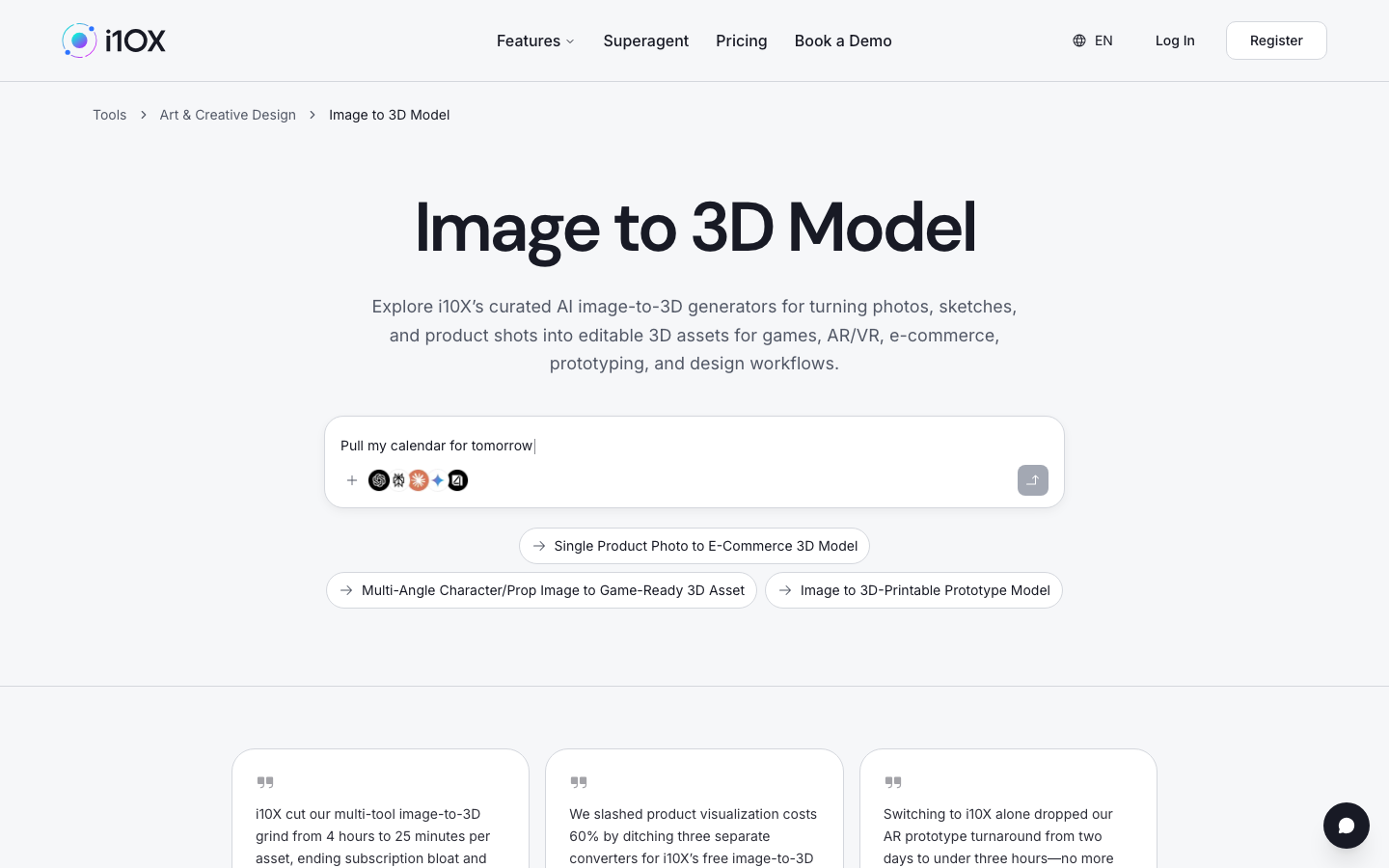
The best AI image-to-3D tools in 2026 are not a single winner. They are game and GLB generators, print and STL pipelines, and quick-capture or extrude utilities. This page is a visual investigation: the live i10X image-to-3D category, a three-lane job map, and homepage captures from 2026-08-28. ImageToStl is heightmap and extrude, not photogrammetry. Browse the directory on i10X image to 3D model or start in one i10X workspace. Same series: AI meeting assistants, product photography.
Start for game / GLB: Meshy if you want PBR, rigging, and engine exports. Tripo if you want high-detail or Smart Mesh quads from a photo or sketch.
Start for print / STL: Meshy’s print path or MakerLab if you already live on Bambu/MakerWorld. ImageToStl only if you want a heightmap or logo extrude, not a reconstructed object.
Start for quick capture: Neural4D for a browser generation. Luma Genie’s URL redirected to Luma’s video homepage on this date. Verify live before you plan a pipeline around Genie.
Screens captured 2026-08-28. Plans move. Verify live on the vendor site. A generated mesh is a draft until you check topology, scale, and license.
8 tools |
Meshy, Tripo, Luma Genie, Neural4D, MakerLab, CSM, ImageToStl, i10X |
4 visuals |
Category page, routing diagram, Meshy homepage, Tripo homepage (German locale on the capture) |
GLB vs STL vs extrude |
First-class filter. A heightmap is not photogrammetry. |
7 days |
Pilot: one photo, two tools, one export you would actually open in Blender or a slicer |
Who starts where
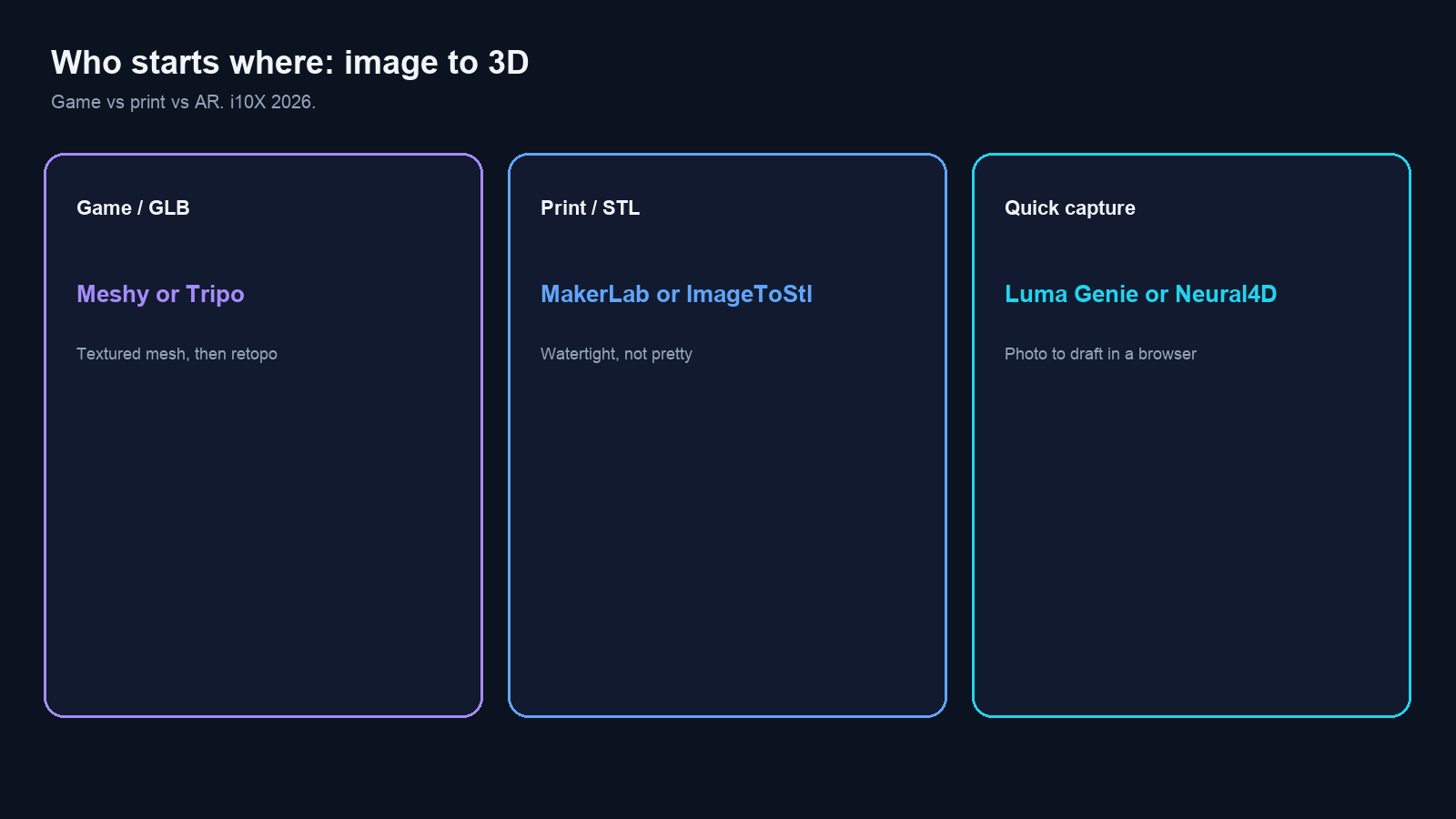
Do not pick a trophy. Pick a constraint. The map is the article in one screen.
You are… |
Start with |
Why |
|---|---|---|
Game / XR artist |
Meshy or Tripo |
GLB/FBX, PBR, optional rig. Retopo is still your job. |
Bambu / MakerWorld user |
MakerLab |
Print-oriented, Hunyuan-class image-to-3D on the listing, one-click to Bambu. |
Need a logo or relief, not an object |
ImageToStl |
Heightmap and extrude. It will not invent a back side. |
Need parts and retopo |
CSM (verify live domain) |
Known for parts-based image-to-3D. www.csm.ai did not resolve in this pull. |
Need a product still, not a mesh |
Leave this list |
Three jobs (look at this before logos)
Searchers mix three products: a game / GLB generator (Meshy, Tripo, Neural4D, CSM), a print / STL pipeline (MakerLab, Meshy’s print path), and a quick capture or extrude (Luma Genie if still shipped; ImageToStl for heightmap). This list is all three. ImageToStl is not photogrammetry. MakerLab is Bambu and print-oriented. Do not score a heightmap as if it were a Meshy mesh.
If the source is a storyboard still, see best AI storyboard generators. If the recap is a review meeting, see best AI meeting assistants.
How we ranked
- Job lane: game/GLB, print/STL, or quick capture / extrude. Read from the live homepage or i10X listing.
- Export: GLB, FBX, OBJ, STL, 3MF, as stated on the page we opened.
- Topology honesty: quads vs triangles vs heightmap. ImageToStl is called out as extrude.
- Print vs viewport: watertight claims are vendor language. Slice a test.
- Free-tier honesty: CTA on the page we opened. No invented credit prices.
- URL honesty: Luma Genie redirected. CSM DNS failed on www.csm.ai. We say so.
We did not run a private “which dragon looks more real” bake-off. The week-one test is one photo, two exports, and a file that opens.
The 8, with the pages we opened
Meshy and Tripo are homepage captures from 2026-08-28. Neural4D, MakerLab, and ImageToStl are i10X listings checked the same day. Luma Genie and CSM are called out with live-URL notes. Vendor logos appear because they are on the live sites. They are not i10X endorsements.
1) Meshy: best dual-lane start for games and print
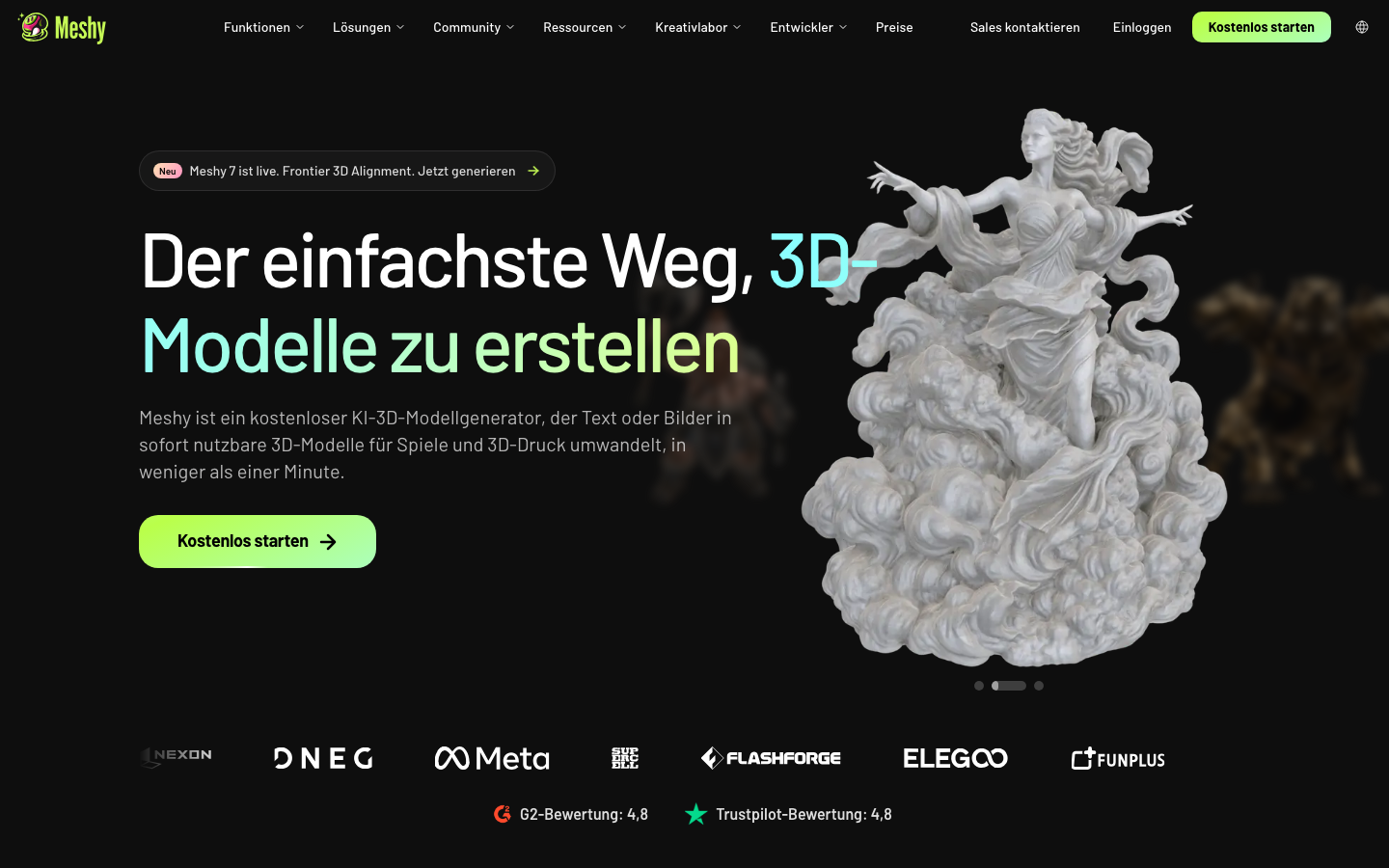
Best for |
Job (this capture) |
Free (homepage) |
Paid |
|---|---|---|---|
Teams that need both a game mesh and a printable draft from one photo |
Game / GLB and print / STL on the same homepage |
Start Creating for Free, no card (this capture) |
Verify live on the vendor site |
Vendor: meshy.ai.
Skip if: you only need a 2D logo extruded to 3mm. Use ImageToStl.
2) Tripo: best image-to-3D with high-detail and Smart Mesh
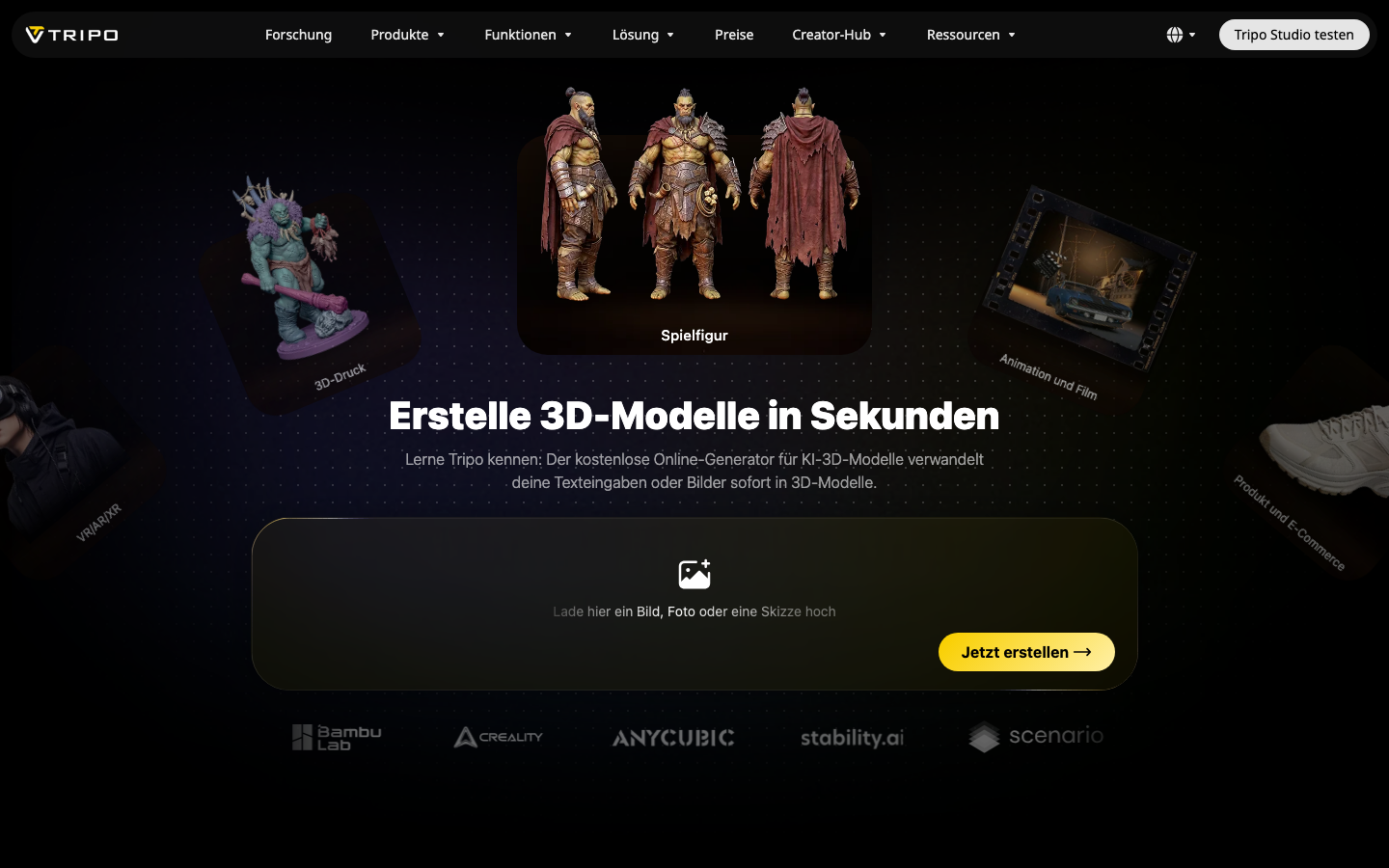
Vendor: tripo3d.ai. Paid: verify live on the vendor site.
Skip if: you need a heightmap from a grayscale photo, not a reconstructed mesh.
3) Luma Genie: quick-capture slot (URL redirected on this date)
The brief’s vendor URL lumalabs.ai/genie opened 2026-08-28 and redirected to Luma’s main creative homepage (Ray 3.2 video and the Luma app). We did not see a standalone image-to-3D Genie product page on that capture. Independent 2026 write-ups still mention Genie as a fast text/image-to-3D lane. At least one June 2026 review said Genie was sunset. Treat this row as the Luma family slot for quick 3D, then verify live before you buy credits or tell a producer it ships.
Luma’s current homepage is video and brand agents, not a GLB factory. If you need phone photogrammetry, look for Luma 3D Capture in the Luma app or docs, which is a different job from single-image generation.
Skip if: the redirect still lands on video-only and you need a GLB this week. Use Meshy or Tripo.
4) Neural4D: best i10X browser image-to-3D listing
i10X listing: Neural4D Image-to-3D. The listing describes 2D image or text to native 3D via Direct3D latent diffusion, exports OBJ, STL, GLB, FBX, USDZ, PBR textures, Unity/Unreal/Blender. Browser-based with a free tier on the listing. Confirm current credits on the vendor site linked from i10X. Figure 2 routes “quick browser generation” here when Luma Genie is unclear.
Skip if: you need Bambu one-click more than a GLB preview.
5) MakerLab: best print-oriented, Bambu / MakerWorld path
i10X listing: MakerLab. MakerLab on MakerWorld: no-modeling web tools, Hunyuan 3.0 named for image-to-3D, plus lightbox, flexi toys, vases, parametric maker. Integrated with Bambu Lab printers. Community gallery. This is print-oriented. It is not a game-engine asset desk. makerworld.com. Pricing: verify live.
Skip if: you need clean quads for Unreal, not a figurine on a Bambu bed.
6) CSM: best parts-and-retopo peer (verify the live domain)
Common Sense Machines (CSM) is a 2026 SERP occupant for image-to-3D with parts and retopo (Cube, image-to-kit). Meta has written about CSM’s use of Segment Anything for part-aware assets. On 2026-08-28, a fetch of www.csm.ai failed DNS in this environment. Older docs point at 3d.csm.ai. Confirm the live domain before you brief a studio. We do not invent current export lists or prices.
Skip if: the domain you open does not load, or you only need a heightmap.
7) ImageToStl: heightmap and extrude, not photogrammetry
i10X listing: Image to 3D Model (ImageToStl.com). Converts PNG, JPG, SVG to STL, OBJ, FBX. Modes: heightmap (grayscale to height) and extrude (trace and pull a logo). That is a relief, not a reconstructed object with a back side. Figure 2 labels it “not photogrammetry” on purpose. imagetostl.com.
Skip if: you uploaded a product photo and expect a full 3D shoe.
8) i10X image-to-3D workspace: best when the brief names format and poly budget
Figure 1’s chips are e-commerce 3D, game-ready multi-view, and printable prototype. The workspace will not replace Meshy’s mesher. It will keep target format, poly budget, and “this is a heightmap, not a scan” notes in one i10X pass, then you generate in the lane from Figure 2. i10X image to 3D model.
Skip if: you already have a Meshy project and only need another credit pack.
The 8 at a glance
Tool |
Best for |
Lane (this map) |
Start (this capture) |
|---|---|---|---|
Meshy |
Games + print from one photo |
Game / GLB and print / STL |
Start free (homepage 2026-08-28) |
Tripo |
High detail or Smart Mesh quads |
Game / GLB (print path too) |
Start for Free. Capture was German locale |
Luma Genie |
Quick capture (if still shipped) |
Quick capture |
URL redirected 2026-08-28. Verify live |
Neural4D |
Browser image-to-3D |
Game / GLB |
i10X listing. Verify live |
MakerLab |
Bambu / print toys and figurines |
Print / STL |
i10X listing. Verify live |
CSM |
Parts and retopo |
Game / GLB |
www.csm.ai DNS failed this pull. Verify live |
ImageToStl |
Heightmap / logo extrude |
Extrude, not photogrammetry |
Free converter. Verify live |
i10X |
Brief + format notes |
Workspace |
Category in Figure 1 |
What we left out
- png3D / Image 3D Maker: also in the i10X rail. We kept Neural4D as the browser listing in the eight.
- Generic image models that dump a fake render: a 2D picture of a 3D object is not a mesh.
- Full photogrammetry suites: multi-view capture is a different job from one photo.
Meshes, likeness, and print
A photo of a person, a branded toy, or a copyrighted character is not yours to commercialize because a model reconstructed it. Check the vendor license for generated assets. Slice a test before you promise a client a print. Watertight on a marketing page is not a passed manifold check. This is not legal advice.
One-week pilot
- Pick two tools from different families in Figure 2 (one GLB tool, one print or extrude tool if that is the job).
- Use the same source photo. Export GLB and, if print is the lane, STL or 3MF.
- Open in Blender or your slicer. Score 1-5: silhouette, holes, scale, whether you would retopo or print.
- If you used ImageToStl, score it as a relief, not as a full object.
- Kill the loser. Do not keep two source-of-truth meshes for the same prop.
Seat math: AI subscription stack cost.
Frequently asked questions
What is the best AI image-to-3D tool overall in 2026?
There is no overall. Meshy or Tripo for game GLB. MakerLab if you print on Bambu. ImageToStl only for heightmap and extrude. Luma Genie: verify live. The URL redirected on this date.
Is ImageToStl photogrammetry?
No. Heightmap and extrude. It will not reconstruct the back of an object from a product photo.
Is MakerLab a game tool?
The i10X listing is print-oriented and Bambu-integrated. Start on Meshy or Tripo for engine assets.
What is the best free option?
Meshy and Tripo show free-start CTAs on this capture. ImageToStl is a free converter. Caps and licenses change. Verify live.
Where can I compare them side by side?
Vendor trials, plus
the i10X image-to-3D category.
Related:
product photography
·
diagram generators
·
i10X.
Shortlist in the directory, then open the mesh
The category page in Figure 1 is the live catalog. Paste a brief into a workspace when you need format, poly budget, and “heightmap vs reconstruction” notes before you spend credits.
Open image-to-3D tools on i10X →
Start on i10X · AI meeting assistants · AI product photography · AI storyboard generators · Subscription stack cost
- i10X Image to 3D Model category capture (Figure 1) and routing chart (Figure 2), 2026-08-28. i10x.ai/tools/category/art-creative-design/free-image-to-3d-model.
- Meshy homepage capture (Figure 3), 2026-08-28. meshy.ai.
- Tripo homepage capture (Figure 4), 2026-08-28, German locale headline “Erstelle 3D-Modelle in Sekunden.” tripo3d.ai.
- lumalabs.ai/genie opened 2026-08-28; redirected to Luma’s main creative/video homepage. lumalabs.ai/genie.
- i10X listings, 2026-08-28: Neural4D Image-to-3D, MakerLab (Bambu/print-oriented), Image to 3D Model / ImageToStl (heightmap and extrude, not photogrammetry).
- CSM / Common Sense Machines: www.csm.ai DNS lookup failed in this pull on 2026-08-28. Public 2025 Meta blog and CSM posts describe parts-based image-to-3D. Verify the live domain.